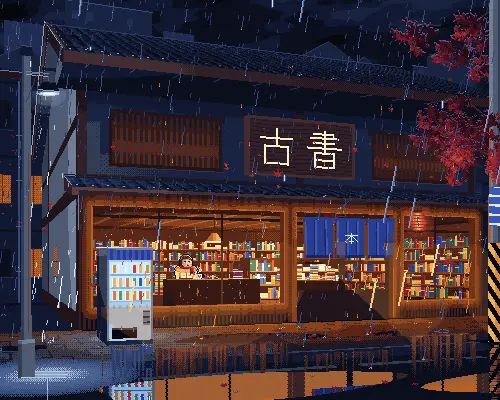
Shade
Add light and shadow with proper hue shifting, one step at a time, so the sprite gains...
Install
npx skills add with-pebbly/aseprite-ai-artist --skill shade -g -a claude-code -y- Repository
- with-pebbly/aseprite-ai-artist543
- Category
- Engineering
- Updated
- 13d ago
- License
- MIT
- Context cost
- Lightabout 598 tokens
- Runs scripts
- No, instructions only
What it does
Add light and shadow with proper hue shifting, one step at a time, so the sprite gains form without gaining the flat-luminance look that marks generated pixel art. Use when flat art needs volume.
Shade a sprite
Flat shading, the same hue, darker, is the clearest signal that a sprite was made by moving a brightness slider. Real shading shifts hue.
The rule
- Shadows rotate toward blue/purple and desaturate slightly.
- Highlights rotate toward yellow/orange and saturate slightly.
recolor op shade implements this. Use it instead of choosing darker hex
values yourself.
Procedure
-
Fix the light direction and state it. Upper-left is the safe default. It does not move again, not across the sprite, not across animation frames.
-
Confirm the flat art is right first.
lookoppreview. Shading a bad silhouette wastes the effort. -
One shadow step. Select the region away from the light, then:
select op="rect" rect={…}
recolor op="shade" amount=-0.2 selectionOnly=true
Or draw the shadow shape directly with
drawif it needs to follow a form the selection tools cannot describe. -
Look.
look op="preview". Does it read as volume, or as a stain? A shadow that follows the form's cross-section reads; one that follows the outline does not. -
One light step, on the side facing the light:
amount=0.2. -
Look again. Most sprites are finished here.
-
Only if it needs it: a deep shadow (
amount=-0.4) in occluded crevices, a specular highlight of one or two pixels on the hardest material, or reflected light, a faint cool step on the shadow side's outer edge, which makes metal read as metal.
Ramps
If you will shade a material more than once, put its ramp in the palette:
palette op="ramp" base="#c04030" steps=5
Then draw with ramp entries directly. Reuse the darkest step across materials, it ties a sprite together and costs no palette slots.
Dithering
Only on 32px+ and only in large flat areas. Use bayer4, keep the two colours
adjacent in a ramp, and stop if it reads as noise. See
rules://02-shading-and-light.



