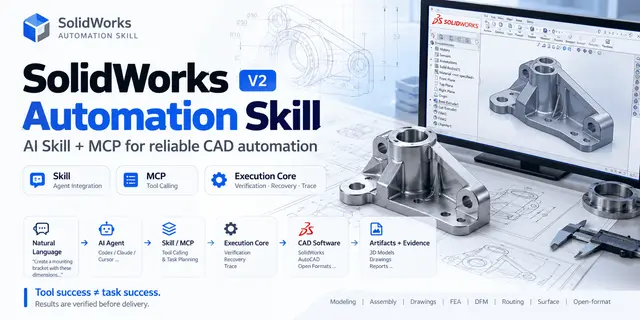
Solidworks Automation
SolidWorks CAD 自动化技能,优先覆盖经验证的零件、孔槽、装配、工程图、导出和交付复核;所有能力等级以 capabilities.yaml...
Install
npx skills add wzyn20051216/solidworks-automation-skill --skill solidworks-automation -g -a claude-code -y- Repository
- wzyn20051216/solidworks-automation-skill1.7k
- Category
- Engineering
- Updated
- 3d ago
- License
- MIT
- Context cost
- Mediumabout 3,000 tokens
- Runs scripts
- No, instructions only
What it does
SolidWorks CAD 自动化技能,优先覆盖经验证的零件、孔槽、装配、工程图、导出和交付复核;所有能力等级以 capabilities.yaml 为准,未验证能力必须走人工复核。
SolidWorks 自动化技能
快速开始
环境要求
- Windows 系统;原生 SolidWorks 操作以 SolidWorks 2026 为支持与验收目标,开放格式无头写入不要求安装 CAD 软件
- Python 3.10+;原生 Windows CAD 自动化另需
pywin32/comtypes - MCP/工具化调用需要
mcp/pydantic - 工程图最终交付审查需要
PyMuPDF;它从 SolidWorks 导出 PDF 回读实际尺寸文字边界,已包含在requirements.txt - 处理 GLB/GLTF/OBJ/STL 网格参考模型时,可能还需要
trimesh/pygltflib/numpy/Pillow - 如果通过 OpenClaw 使用,确保技能目录位于
~/.openclaw/skills/solidworks-automation/或~/.agents/skills/solidworks-automation/
入口自检
所有代理在执行 SolidWorks 自动化前,先运行技能自检:
python SKILL_DIR/scripts/sw_preflight.py
桌面端或 CLI 执行前建议先运行环境诊断:
python SKILL_DIR/scripts/cad_studio.py doctor
capabilities.yaml 是 Skill、MCP、队列和 UI 共用的能力唯一真源。能力等级为 verified、pilot、reference_only 或 not_implemented;后两者不得作为无人值守交付。该清单还维护 Python、C# PIA/Add-in、原生 C++、SWBasic、OCCT 和外部求解器的原子操作路由;执行前可用 python scripts/backend_router.py --list 查询,规则见 references/language-backend-routing.md。



