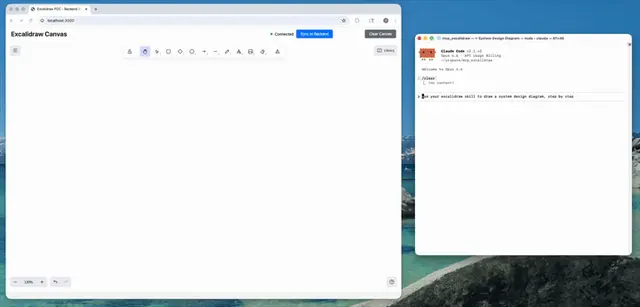
Excalidraw Skill
Excalidraw canvas toolkit for creating, editing, and refining diagrams on a live canvas.
Install
npx skills add yctimlin/mcp_excalidraw --skill excalidraw-skill -g -a claude-code -y- Repository
- yctimlin/mcp_excalidraw2.6k
- Category
- AI and agents
- Updated
- 5d ago
- License
- MIT
- Context cost
- Mediumabout 3,000 tokens
- Runs scripts
- No, instructions only
What it does
Excalidraw canvas toolkit for creating, editing, and refining diagrams on a live canvas. Use when an agent needs to (1) draw or lay out diagrams, (2) iteratively refine them by describing the scene and screenshotting its own work, (3) export/import .excalidraw files or PNG/SVG images, (4) save/restore canvas snapshots, (5) convert Mermaid to Excalidraw, or (6) perform element-level CRUD, alignment, distribution, grouping, duplication, and locking. Primary interface is the bundled CLI (npx -y mcp-excalidraw-server <command>) which auto-starts the canvas server; MCP tools and a REST API are equivalent alternatives.
Excalidraw Skill
Step 0: Pick an Interface
Three interfaces drive the same live canvas. Pick the first one that applies:
- MCP tools, if
excalidraw/*tools (e.g.batch_create_elements) are in your tool list, prefer them: results land directly in your context, and screenshots come back as images without touching disk. - CLI (default when no MCP tools are present):
No setup needed, any canvas-touching command auto-starts the canvas server onnpx -y mcp-excalidraw-server <command>http://127.0.0.1:3000(firstnpxrun downloads the package). If the CLI is installed globally (npm i -g mcp-excalidraw-server), the shorter aliasexcalidraw-canvas <command>works too. - REST API (last resort, e.g. from application code): HTTP endpoints on
http://127.0.0.1:3000, seereferences/cheatsheet.mdfor payloads. The server must already be running.
The canvas URL comes from EXPRESS_SERVER_URL (default http://127.0.0.1:3000). Screenshots and image exports render headless inside the canvas server, so you never need a browser tab to check your own work. Only mermaid conversion and viewport control need an open tab (CLI exits with code 4 when it's missing). Still tell the user the URL, opening it lets them watch you draw.
CLI Quick Reference
Results are JSON on stdout, except describe (plain text) and raw-content output when --out is omitted (export scene JSON, screenshot --format svg). Diagnostics on stderr. Exit codes: 0 ok, 1 error, 2 usage, 3 canvas unreachable, 4 browser tab required (only mermaid and screenshot --renderer browser).




