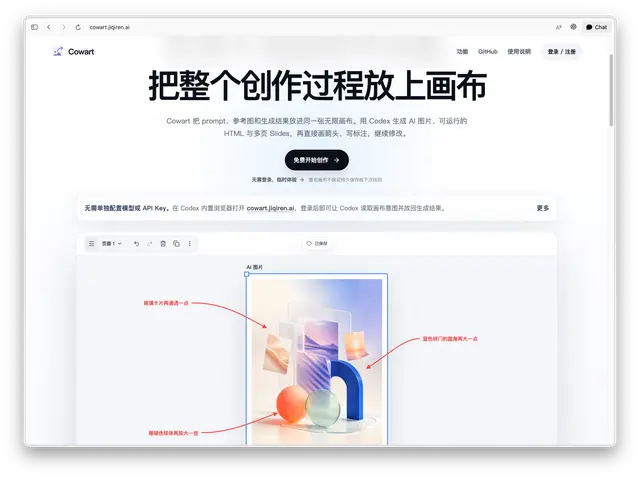
Cowart Image Gen
Generate and place a final AI bitmap on the Cowart canvas, replacing a selected AI 图片...
Install
npx skills add zhongerxin/Cowart --skill cowart-image-gen -g -a claude-code -y- Repository
- zhongerxin/Cowart6k
- Category
- Media
- Updated
- 27d ago
- License
- MIT
- Context cost
- Mediumabout 2,172 tokens
- Runs scripts
- No, instructions only
What it does
Generate and place a final AI bitmap on the Cowart canvas, replacing a selected AI 图片 holder or inserting the image into the current page.
Cowart Image Gen
Use this skill when the user wants an AI-generated image placed onto the Cowart canvas. A selected AI 图片 holder gives a precise size and placement target, but it is not required. By default, a selected holder is a temporary target and should be replaced by the generated image.
Preconditions
Ensure the cowart_mcp tools required by this workflow are available. Do not call render_cowart_canvas_widget as a routine prerequisite: requests sent from the Cowart widget already have an open canvas, and the existing widget synchronizes inserted images from MCP-backed storage. If the user separately asks to open, reopen, or explicitly refresh the canvas, handle that request once with the canvas-opening workflow.
Cowart state is read and written through Cowart MCP tools, not through a localhost browser service.
New holders are tldraw frame shapes with:
{
  "type": "frame",
  "meta": {
    "cowartAiImageHolder": true
  }
}
Older canvases may still contain legacy geo rectangle holders with the same
meta flag. Support both shapes.
Workflow
For a follow-up from Cowart's sidebar canvas, use the exact projectDir and canvasDir in the Cowart context/message for all Cowart tools. These paths can differ from the conversation working directory. In ordinary project conversations, keep using the active user project as before.
-
Read the selected shape from Cowart with the MCP
get_cowart_selectiontool. Pass the active user project directory asprojectDir. -
Check whether exactly one selected shape is an AI image holder. A holder is any selected shape with either:
isAiImageHolder: trueor:
meta.cowartAiImageHolder: trueIf yes, use the holder replacement workflow below. If not, do not ask the user to select a holder; use the standalone workflow below and insert the generated image into the current Cowart page.
-
Choose the placement workflow.





